Matrix Chat
This set of pages steps through how to get started using Matrix for chatting and video calling with KelseyNet members.
Background
What is Matrix?
Matrix is a lot more similar to email than it is to a messaging app, except that it's designed around immediate communication (both text and voice).
When you create an account on app like Telegram or Whatsapp, all of the communications between individual users go through the central server for that company: this is what it means when something is 'centralised'. All users have an account and data on one single company's system, no matter who you're chatting to.
In contrast, email is something we use every day that's a 'decentralised' system. You might have a Gmail account, but you don't worry about what provider or app someone is using: you just know the address to send the email to, and it gets to them, whether they're using Gmail, Outlook or a company's private server. All of your emails are stored on Google's servers and transit through them, but then those need to talk to other people's servers to deliver the messages.
With traditional messaging apps, you must use the server provided to you: there is no choice, and it's something you agree to when you sign up. You're also (generally) restricted to the apps you can use.
If you need to talk to someone on Whatsapp, you must create an account on Whatsapp, download the Whatsapp app and use Whatsapp servers.
If someone is on Matrix, you can create an account on any homeserver that fits your interests and values, use whatever Matrix-compatible app you feel like (such as Element X) and talk to anyone that your homeserver chooses to 'federate' with.
More Differences
Encryption
Like Signal, messages you send on Matrix can be end-to-end encrypted. This means that nobody except for you and your contact can see what the message content is, not even the person running the homeserver (me!).
This is something that I have configured the homeserver to enable by default, which means that people you talk to privately, and people in rooms (such as Family) are the only people who can ever see your messages.
Rooms
Unlike other messaging apps, there's no real concept to differentiate 'private chats' with contacts and 'groups'. In Matrix, everything is a room: when you talk to a contact, Matrix simply sees this as a room with only the two users in it. Most apps will simply just show the name of the person rather than a room, so in practise it works much the same.
Contact and Room Names
Most chat apps have a way to search for users who are registered and start a conversation with them, such as:
- Searching for a particular username (e.g.
@bob) - Searching for a phone number
- Searching for an email address
- Matching any of these to your address book
You have little control over how this gets used, besides being careful with the information you provide during sign-up.
Matrix does have a way to search for users by what's called 'third-party identifiers' (or 3PID) for short: in essence, email addresses and phone numbers. However, this is an opt-in feature. Your email addresses (as KelseyNet does not use phone numbers) on your Matrix account, by default, can't be used by other people to find you:
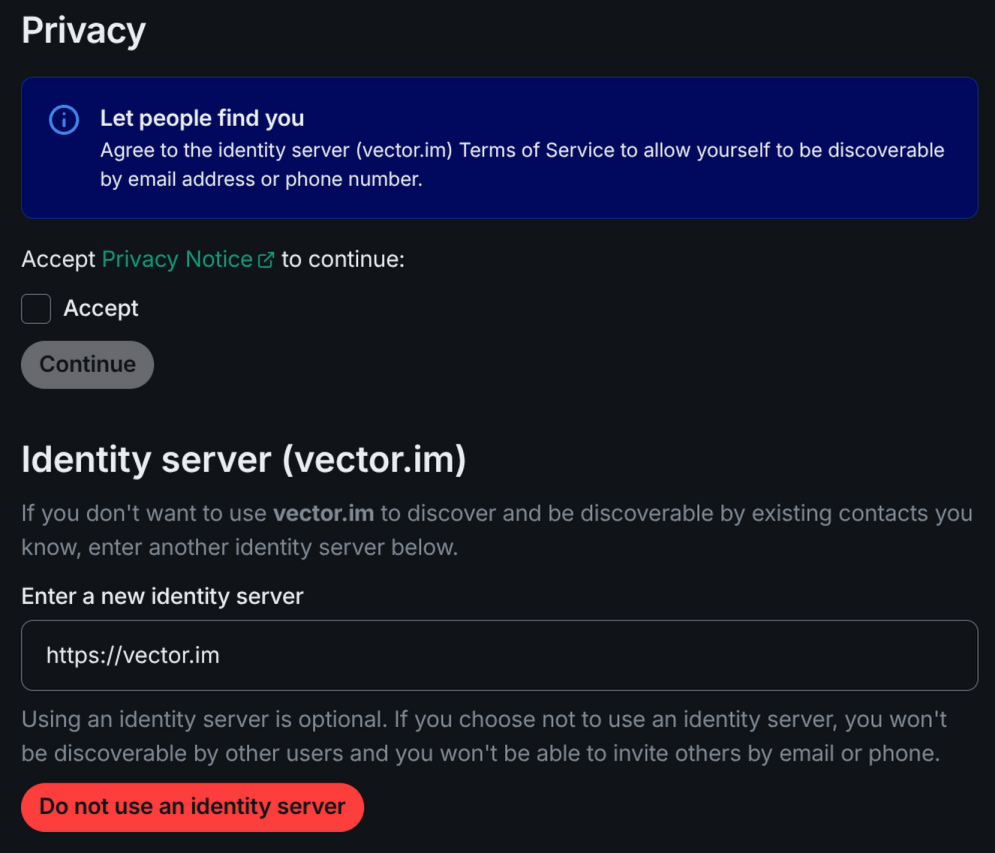
However, any users who you have talked to before or share a room with you will come up in your search list (by name or username only), even if they don't have the above option ticked.
So how do you start a chat with someone?
- If you know their username, you can invite someone to chat with "@" "username" ":" "homeserver"
- Note the wording here: invite someone to chat - all new chats and room invitations are just that: invitations that people can say yes or no to
- For example, to talk to Bob you would type
@bob:thekelsey.net- this is pretty similar to email, except@means a person - In addition,
#means a room (e.g.#catpics:catpyjamas.comfor a public room on a different homeserver/community).
- Otherwise, in your app you can click 'start a new chat' and share your invite link via text or another chat, e.g.
- Bob would be able to send someone an invite with a link that looks like
https://matrix.to/#/bob:thekelsey.net, and when clicked will direct someone to send them an invite
- Bob would be able to send someone an invite with a link that looks like
Federation
Just like the above email example, federation simply means that you're not limited to talking to people on the KelseyNet homeserver: let's say Alice has an account on a homeserver called dickhead.me and you want to talk to her.
You don't need to create an account on that server! Federation will handle everything for you like magic. You could simply:
- Invite
@alice:dickhead.meto chat in Element, or - Have Alice invite you to chat from her homeserver, or
- Invite Alice to one of your public or private rooms - you can have any amount of people from any homeserver in a room! - or,
- Have Alice invite you to a room she's a member of on a different homeserver.
In fact, let's say you know that there's a wonderful lawn bowls community over at the #lawnbowls:aussie.sports room and that's how you know Alice - you could both join that room, even though aussie.sports is an entirely different homeserver to both yours and Alice's!